
Monitor Your Blood Pressure and Heart Rate With the Wellue Smart Blood Pressure Watch

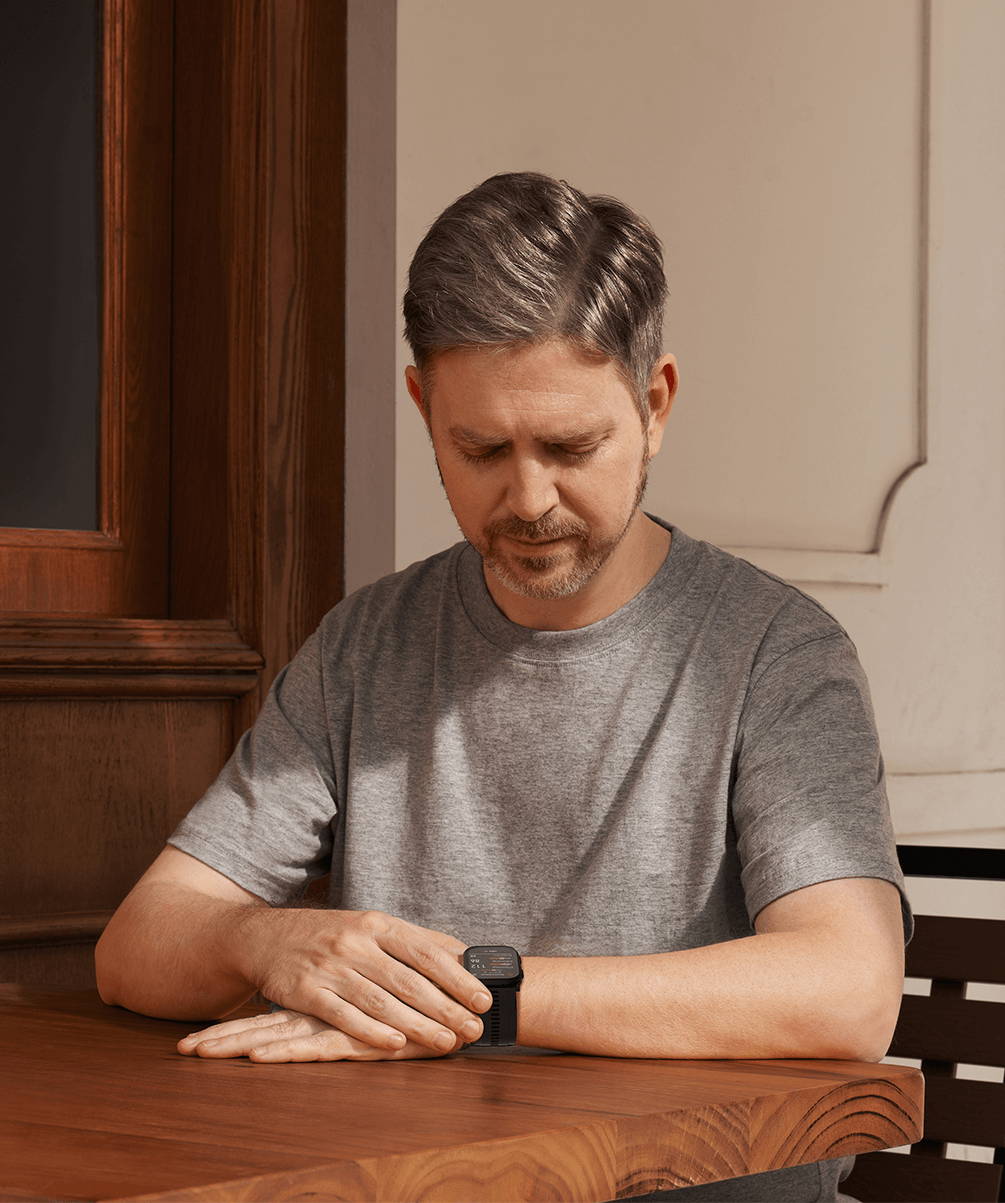
Monitor Your Blood Pressure and Heart Rate With the Wellue Smart Blood Pressure Watch
A blood pressure monitor watch can make it easier to check your numbers consistently, especially when you want trends, not just one-off readings. The Wellue Smart Blood Pressure Watch uses an oscillometric method with an inflatable micro air cuff, similar to the pressure-wave approach used by traditional upper-arm monitors, instead of estimating BP from optical sensors.
In this guide, we’ll walk through how to take accurate readings, how to set scheduled (TBPM) monitoring for daytime or nighttime tracking, and how to review and save your history in the watch or companion app.
Step-by-step:How to measure blood pressure on the watch
1) Swipe left to find the Blood Pressure screen, tap Start to begin the measurement.
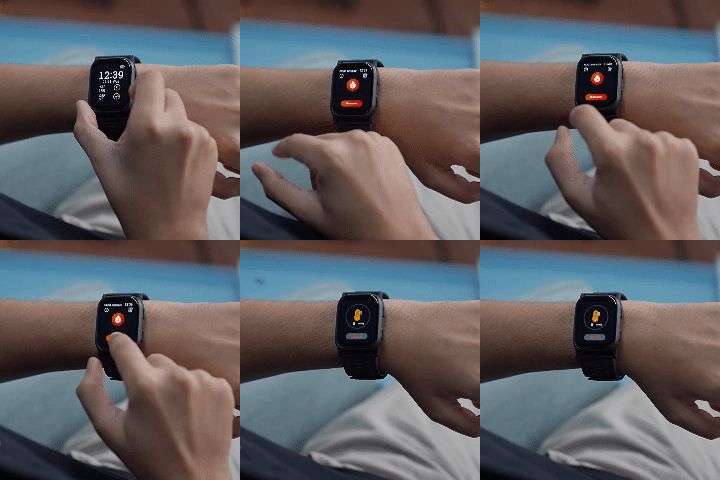
2) Stay still while it measures, wait for the cuff to fully deflate.
Do not talk or move until the measurement finishes.
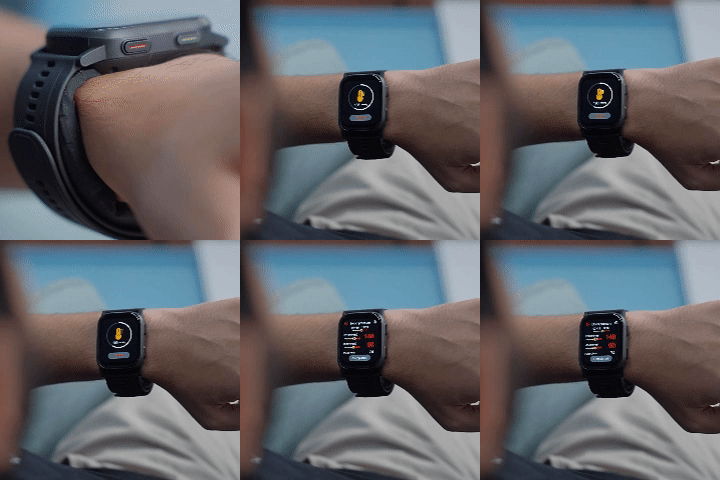
3) Read Your Results (Auto-Saved)
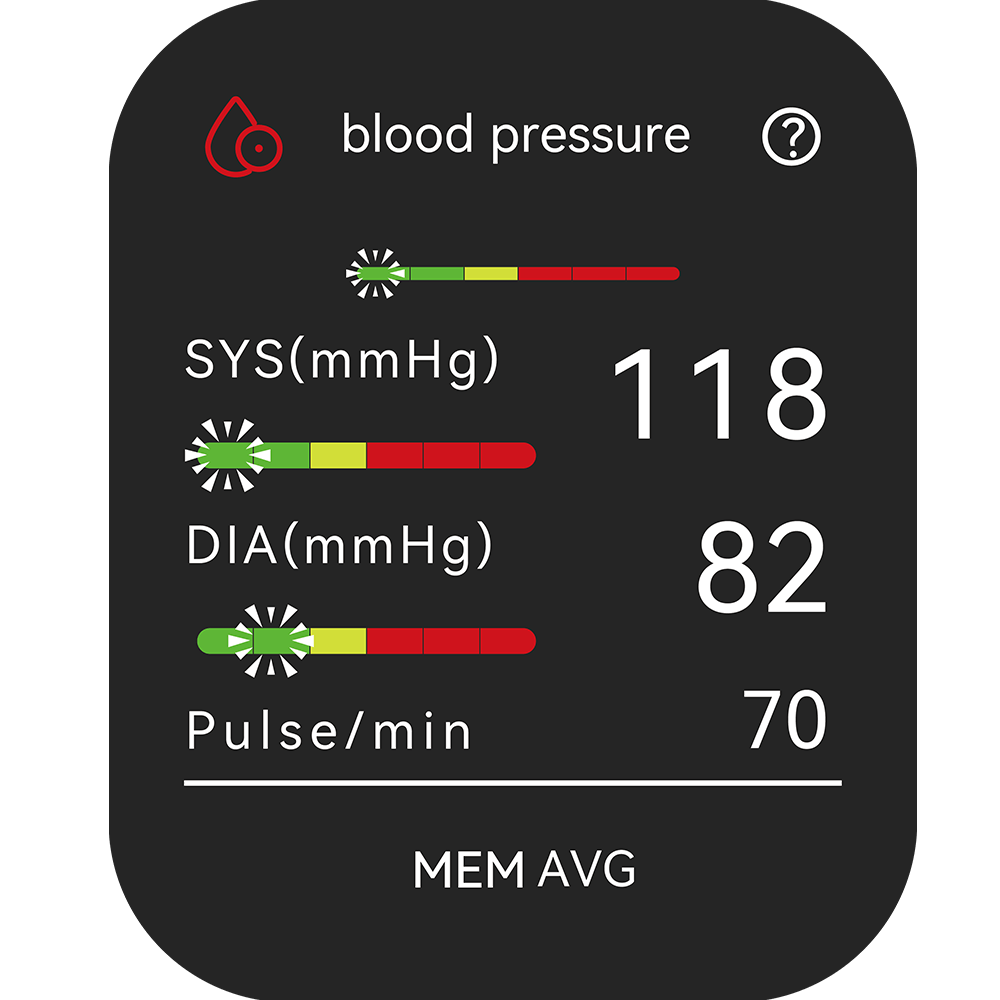
This is the pressure in your arteries when your heart beats. It’s shown in mmHg.
DIA (Diastolic) — the bottom number
This is the pressure between beats, when your heart relaxes. It’s also shown in mmHg.
Pulse/min — your heart rate during the measurement
This is your pulse in beats per minute (bpm). For most adults, a typical resting heart rate is 60–100 bpm, though fit/active people may be lower.
- What the colored bars on the screen are showing
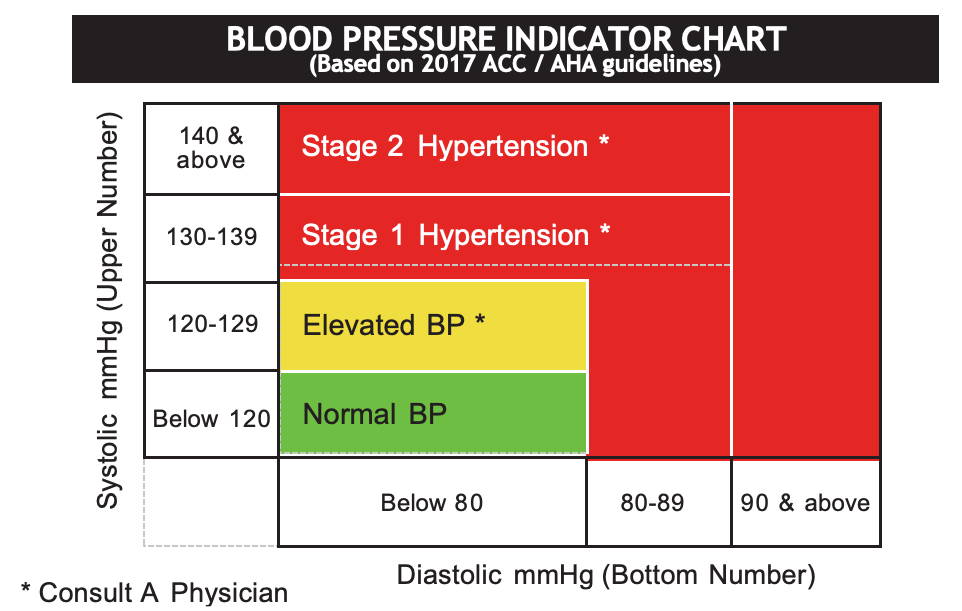
- What the Green / Yellow / Red Colors Mean (and why they’re used)
Step-by-step:How to Schedule Automatic Blood Pressure Checks (TBPM)
If you want to see pattern, not just single readings—TBPM (Timed Blood Pressure Monitoring) lets the watch take blood pressure measurements automatically at set intervals. This can be especially helpful for spotting a consistent morning surge, comparing day vs. night changes, and understanding how daily habits (like caffeine, workouts, stress, or medication timing) may affect your numbers over time.
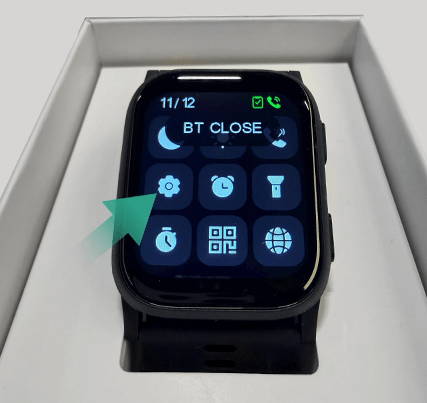
1) Swipe down to open the quick menu, then tap Settings
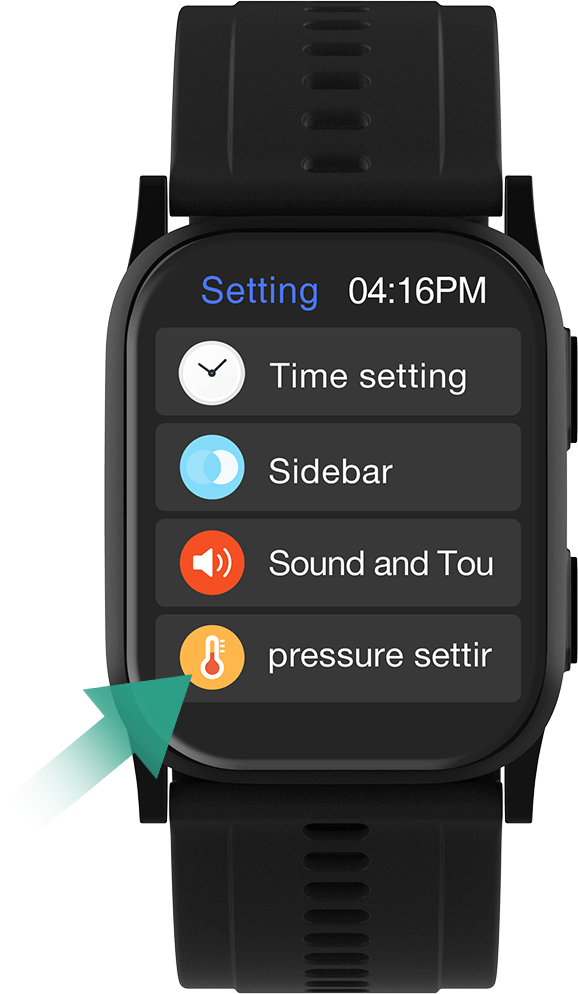
2) Tap Blood Pressure Settings.
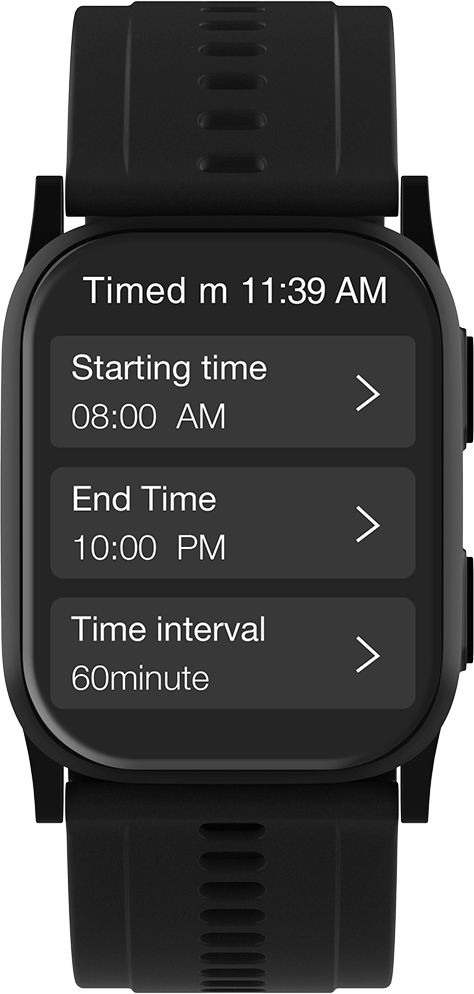
3) Tap Timed Monitoring Settings. Set your starting time, end time, and measurement interval (for example, 30, 60, 120, or 240 minutes).
Tap OK to confirm and enable the schedule.
Step-by-step:How to Measure Your Heart Rate on the Wellue Watch
Your Wellue Smart Blood Pressure Watch also tracks your heart rate on demand. Before measuring, we recommend adding the heart rate and blood oxygen options to your quick-access screen, so you can reach them easily without navigating through multiple menus.
1) Add Heart Rate to Quick Access
- Swipe right three times from the main watch face to reach the Quick Access customization screen.
- Tap the “+” icon in the empty module space.
- In the list, find Heart Rate and Blood Oxygen, then tap the green “+” icon next to each one. This adds them to your swipe-access menu for easy measuring.
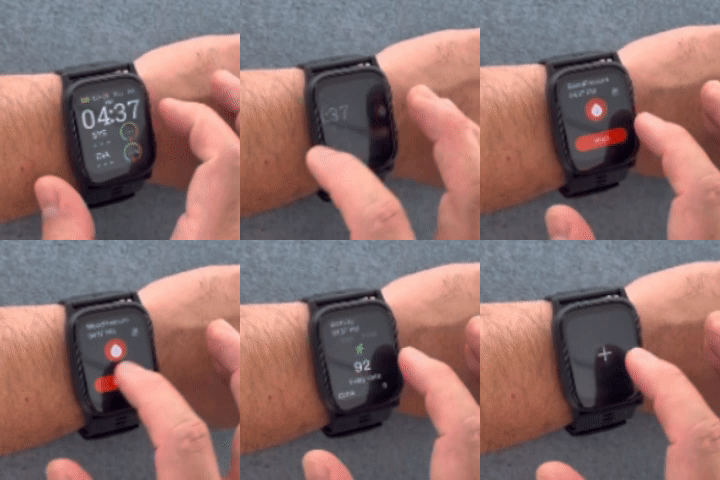
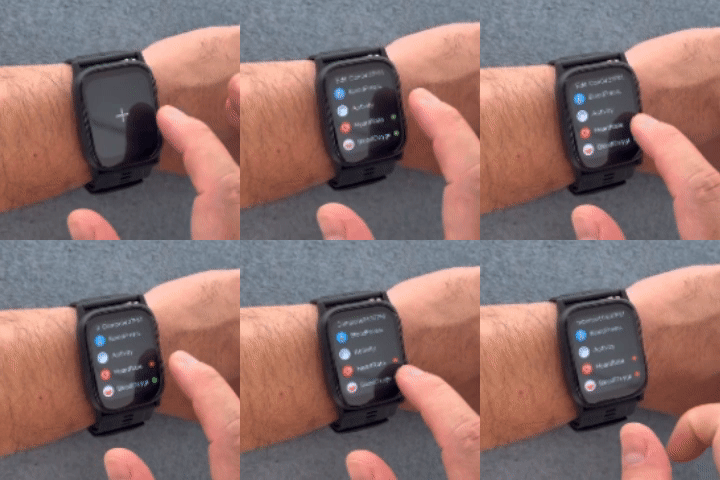
2) Start a Heart Rate Measurement
- Press the red side button to return to the main screen.
- Swipe right three times again to find the Heart Rate shortcut.
- Tap the Start icon to begin measuring.
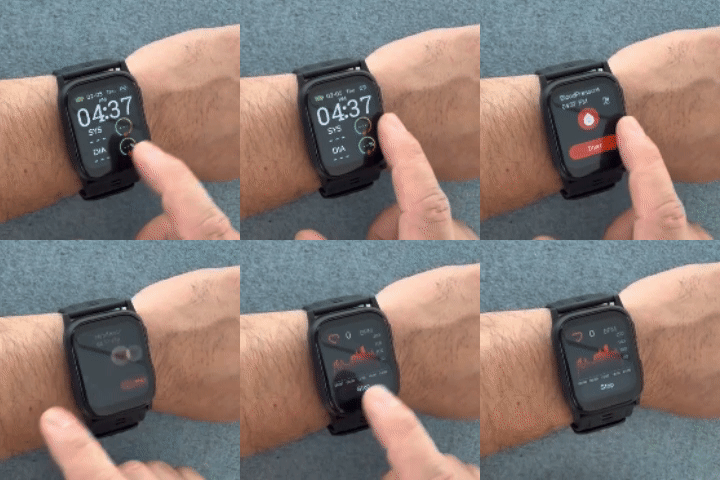
Step-by-step:Auto Heart Rate Checks at Your Custom Intervals
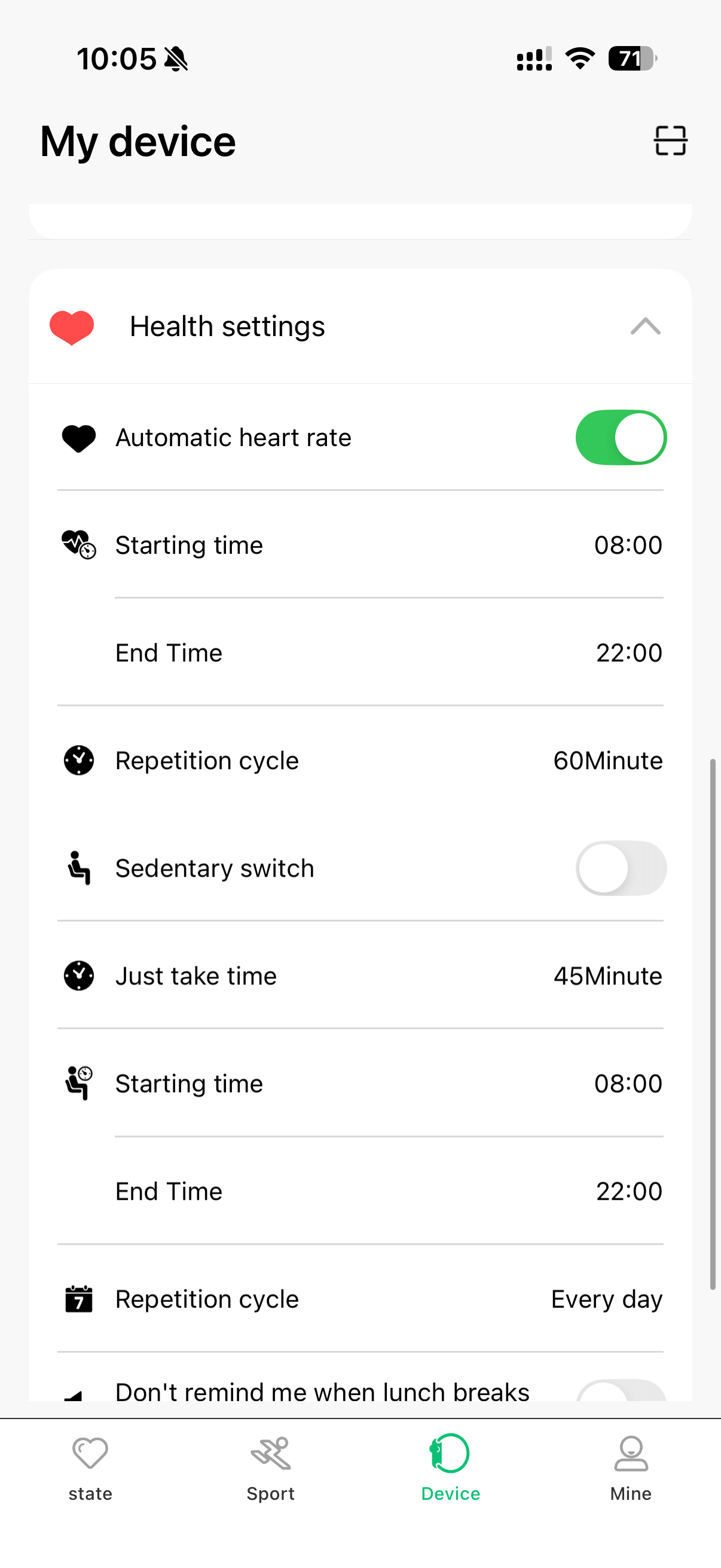
Want your watch to automatically check your heart rate throughout the day, without having to tap anything? Here's how to set it up in the MasWear app:
1) Make sure your watch is connected to the MasWear app via Bluetooth.
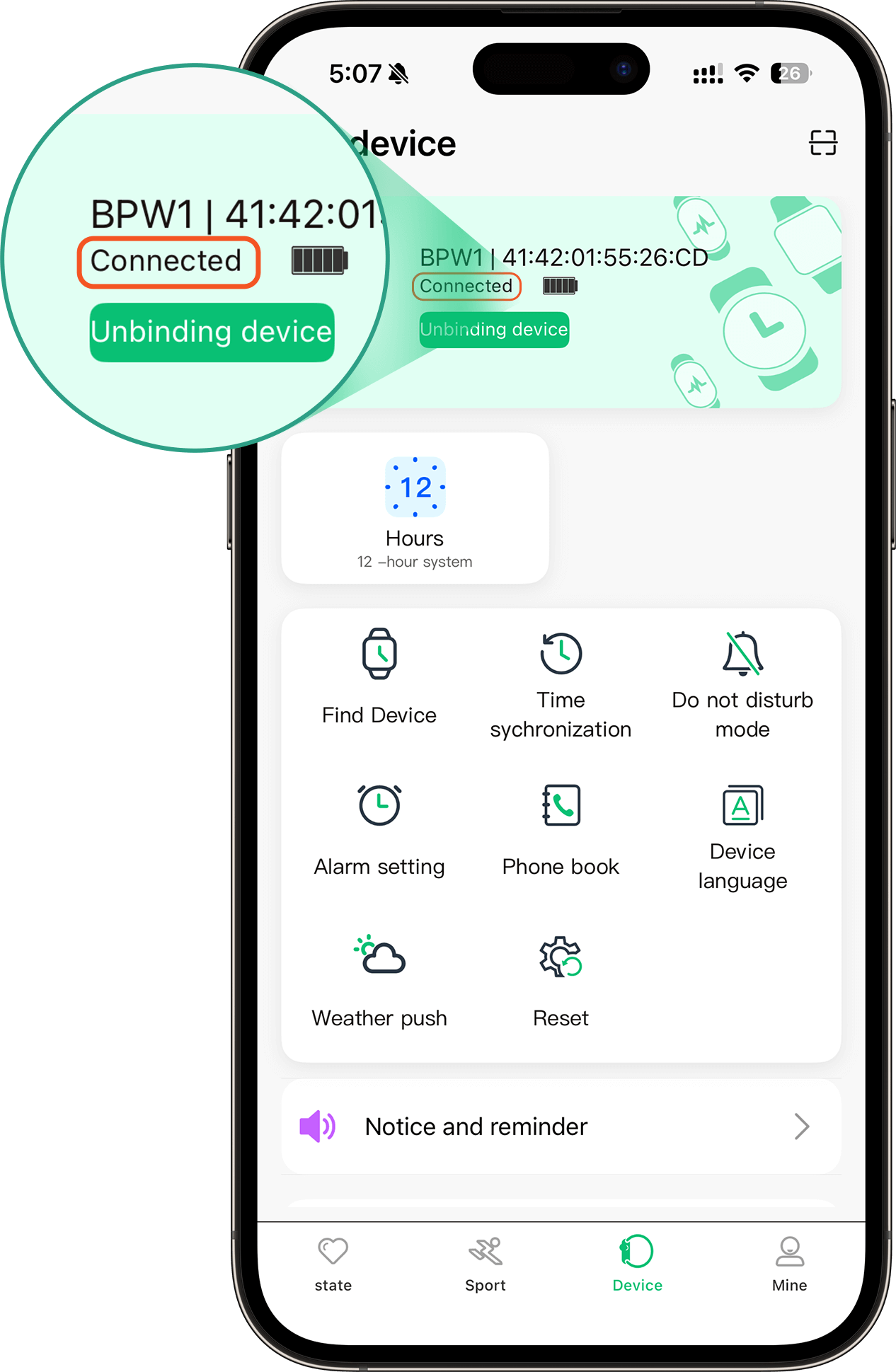
2) Tap “Device” at the bottom of the app screen. Under Health Settings, toggle on “Automatic heart rate”.
- Set your Starting time and End time, for example, 08:00 AM to 10:00 PM.
- Choose your Repetition cycle, how often you want the check to happen(e.g., every 60, 120 minutes).
Stay Ahead of Your Health With Just a Glance
Whether you're managing hypertension, optimizing your training, or simply curious about your cardiovascular health, the Wellue Smart Blood Pressure Watch puts powerful insights right on your wrist. Track your blood pressure, heart rate, and blood oxygen levels anytime, anywhere.
- FDA Cleared | Comfortable Fit | Accurate Readings
- Automatic Monitoring | Clear Reports | Rechargeable & Travel‑friendly
Related Products
Related Products